Photovibe
Instantly familiar, entirely local.
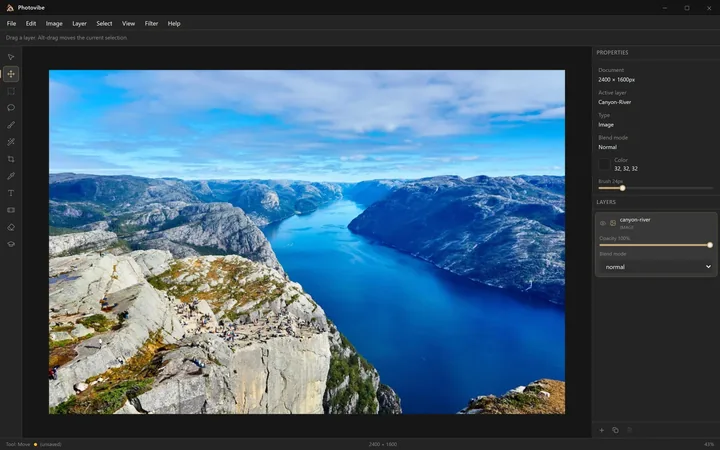
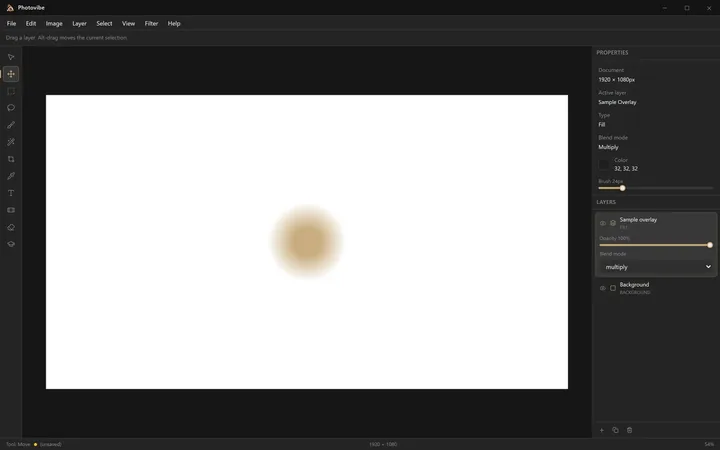
Photovibe is a photo editor that runs entirely on your machine: tool column, options bar, layers panel, blend modes, and the keyboard shortcuts you already know. If you have used Photoshop, you can use it.
Working today: multi-layer documents with per-layer opacity and thirteen GPU-composited blend modes; PNG, JPEG and WebP open and save; rectangular, freehand and magic-wand selections; brush, eraser, gradient, healing and text tools; an eyedropper that samples anywhere on screen; and full undo/redo with named history steps.
No subscription, no trial, no watermark, no upsell — and MIT licensed, so it stays free even for commercial work. Installers are Authenticode-signed through Azure Trusted Signing.
This is early software. The editor is usable and under active development, and v0.1.0 is the first public build.
How it compares
Being straight about this: at v0.1.0 Photovibe is not competitive on features with any mature editor. GIMP and Krita are free, cross-platform and have decades of work behind them. Photopea runs in a browser and is remarkably close to the Photoshop interface. If you need a capable editor today, use one of those.
What Photovibe is arguing for is a narrower thing: Photoshop muscle memory that works immediately, a fully local GPU-composited engine with no account and no cloud, and an MIT licence rather than a free tier. GIMP asks you to relearn its interface; Photopea needs a browser and serves ads; Photoshop needs a subscription.
BUILT BY Dario Mory
STATUS Early release — v0.1.0
PRICING Free · MIT
PLATFORM Windows
STACK Tauri 2, React 19, custom WebGL2 compositing engine
WEBSITE photovibe.mory.dev
GITHUB mory-dev/photovibe
Questions
Is Photovibe free?
Yes, and MIT licensed, so it stays free even for commercial work. No subscription, no trial, no watermark and no upsell.
How do I install it?
Download the installer from photovibe.mory.dev. Builds are Authenticode-signed through Azure Trusted Signing.
Which platforms does it run on?
Windows.
What works today?
Multi-layer documents with per-layer opacity and thirteen GPU-composited blend modes; rectangular, freehand and magic-wand selections; brush, eraser, gradient, healing and text tools; an eyedropper that samples anywhere on screen; and full undo and redo with named history steps.
Which file formats can it open and save?
PNG, JPEG and WebP.
Do I need to learn new shortcuts?
No. The tool column, options bar, layers panel and keyboard shortcuts follow Photoshop conventions deliberately. If you have used Photoshop you can use it.
Does anything leave my machine?
No. It runs entirely locally, with no account and no cloud component.